Product Rules
Product rules option in Journal dictates what set of products to load in a Products module.
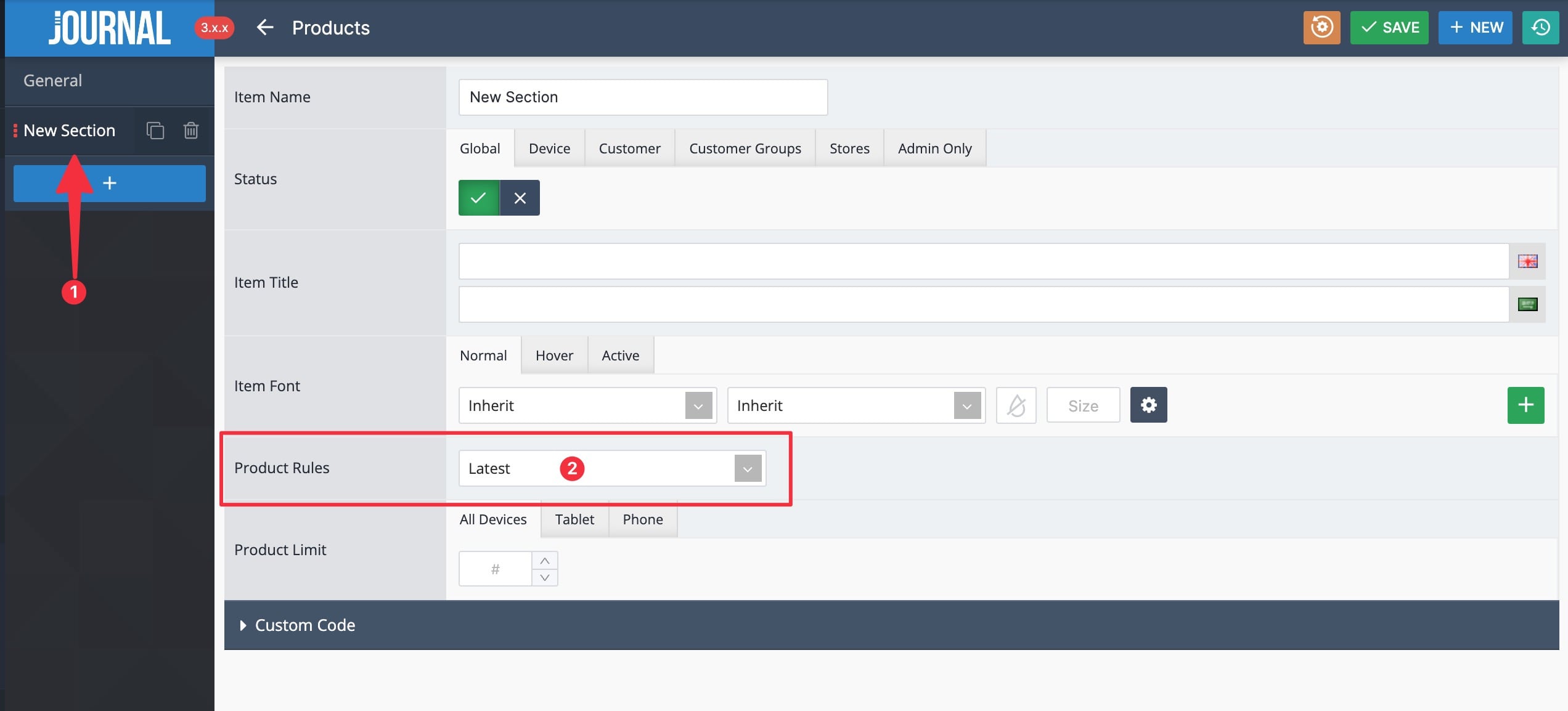
In a standard Products or Mini Products module you can add a section of products from the blue + button (1) and then indicate what type of products you want to load in the module from the Product Rules selector (2).
Available Rules
-
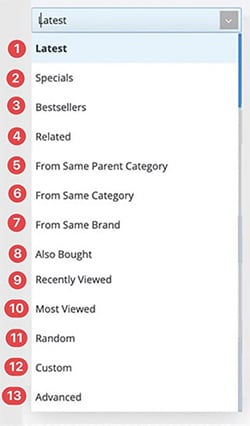
Latest - Shows the latest products added to the store.
-
Special - Shows products that have a special price (discount).
-
Bestseller - Shows bestselling products sorted by sales
-
Related Auto-Layout - Shows related products assigned in Opencart > Catalog > Products > Edit > Links > Related Products. These products are only visible on Product layouts.
-
From Same Parent Category Auto-Layout - Shows products from the same parent category. These products are only visible on Category or Products layouts.
-
From Same Category Auto-Layout - Shows products from the same category. These products are only visible on Category or Products layouts.
-
From Same Brand Auto-Layout - Shows products from same brand. These products are only visible on Category or Products layouts.
-
Also Bought Auto-Layout - Shows products that have been purchased at the same time with the current page product. These products are only visible on Product layouts.
-
Recently Viewed - Shows recently viewed products from the current session.
-
Most Viewed - Shows most viewed products in the store.
-
Random - Shows random products from the entire catalog.
-
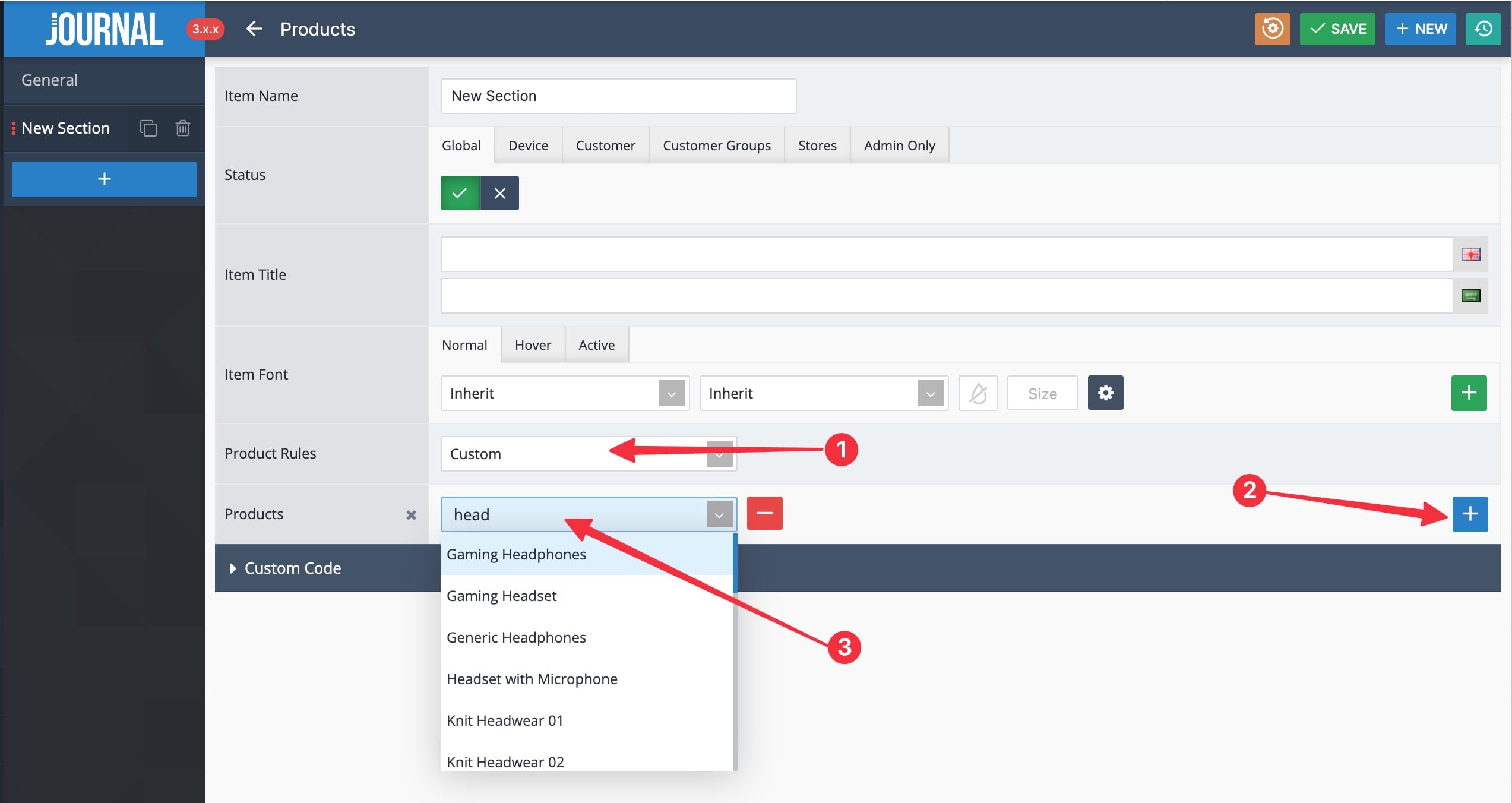
Custom - Allows for custom products to be indicated. Set Rule to Custom (1). Add products one by one from the blue + button (2). Pick desired product from auto-complete list (3).
-
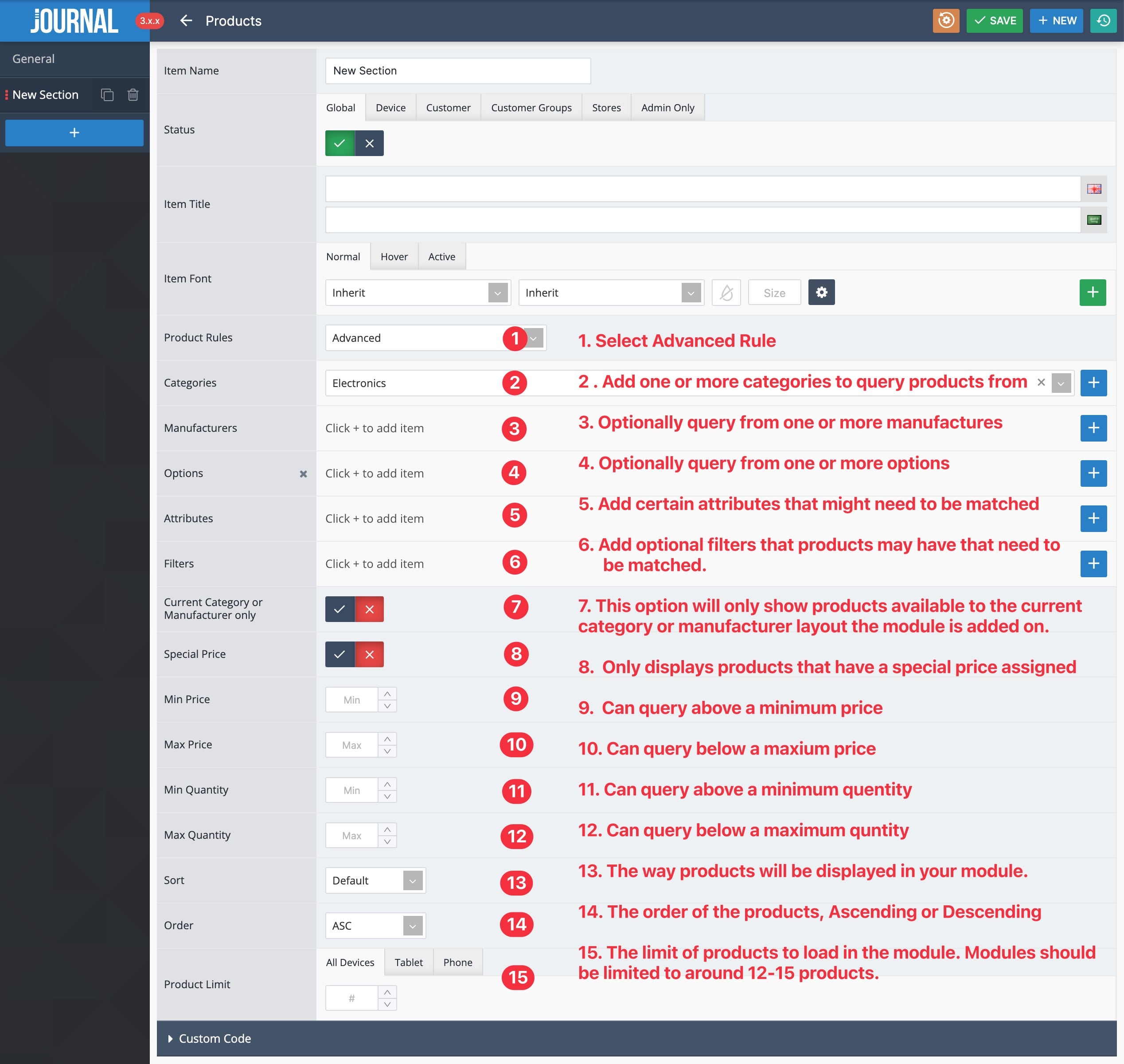
Advanced - Allows for advanced mix and match product selections.