Theme Update for Opencart 2.3.x / 3.x
-
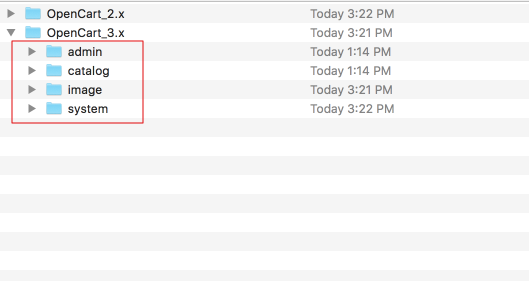
Extract the archive you downloaded from Themeforest and locate the Opencart_3.x or Opencart_2.x folder (depending on what Opencart version you use).
-
Upload the 4 folders found inside (admin, catalog, image, system) to your OpenCart root installation and merge them with the existing ones and make sure you replace all existing Journal files with the new ones.
-
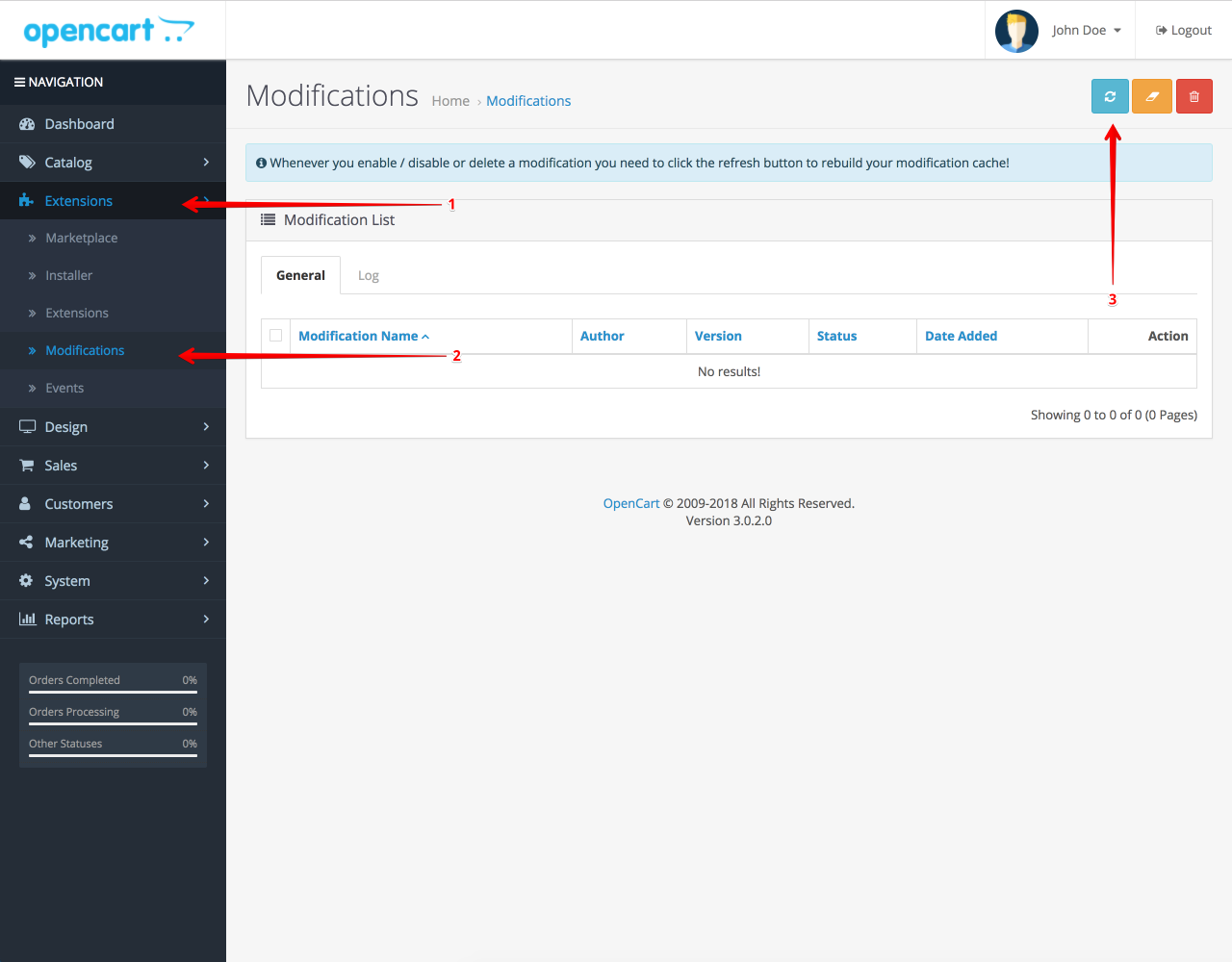
Access your Opencart Admin and go to Extensions > Modifications and click on the blue Refresh button (top right corner).
-
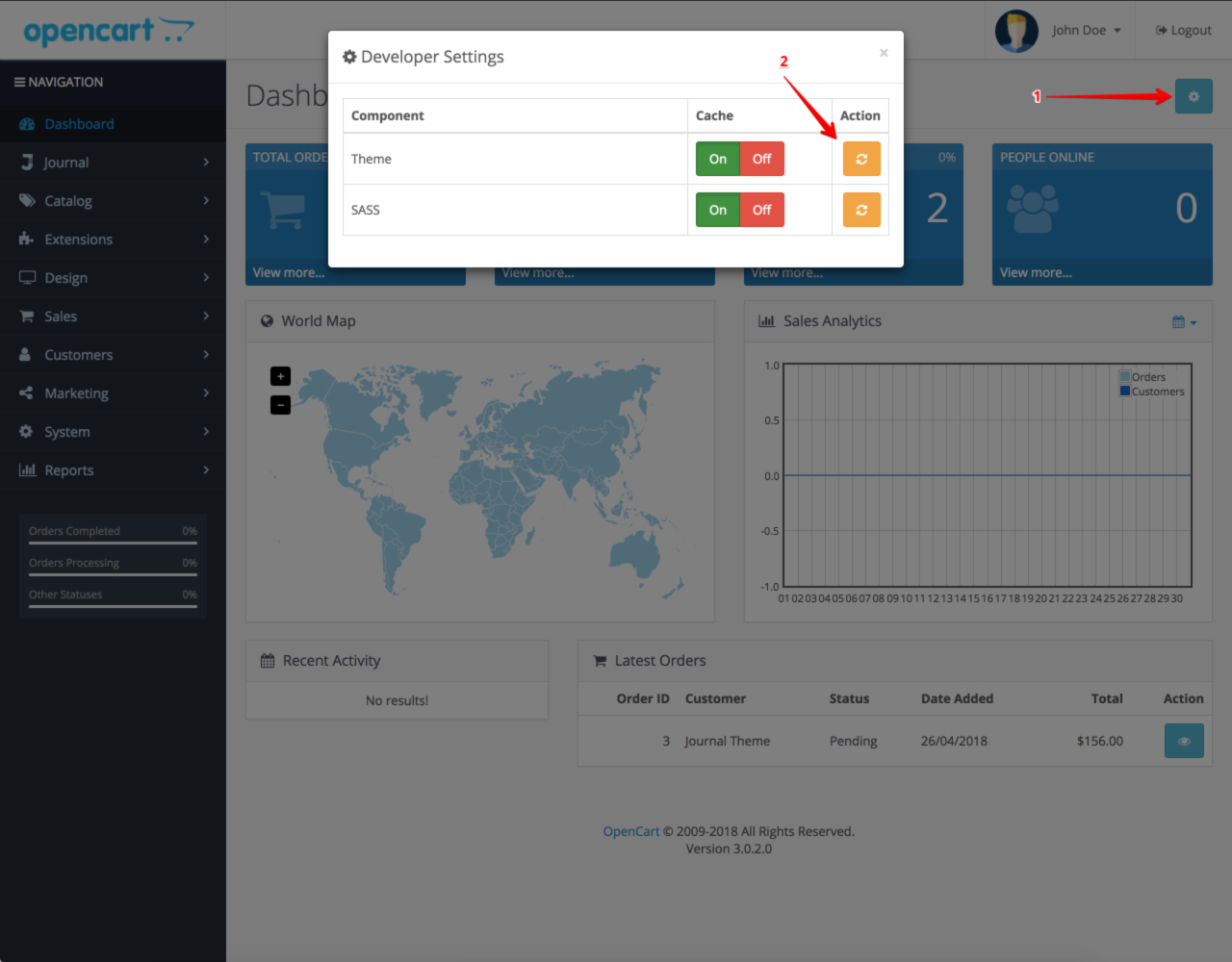
(Opencart 3 only) Access developer tools from Opencart Admin Dashboard and clear Template Cache.